
Nginx Performance Tuning 2026: The Ultimate Guide to Lightning-Fast Web Infrastructure
In the digital ecosystem of 2026, speed is the only currency that matters. Whether you are running a high-frequency trading platform, a global e-commerce store, or a complex API for mobile apps, every millisecond of latency equals lost revenue and frustrated users. While Nginx is known for being one of the fastest web servers in the world, its default configuration is often not enough for enterprise-scale demands. In this Nginx Performance Tuning 2026 guide, we will dive deep into advanced configurations to push your server to its absolute limits.
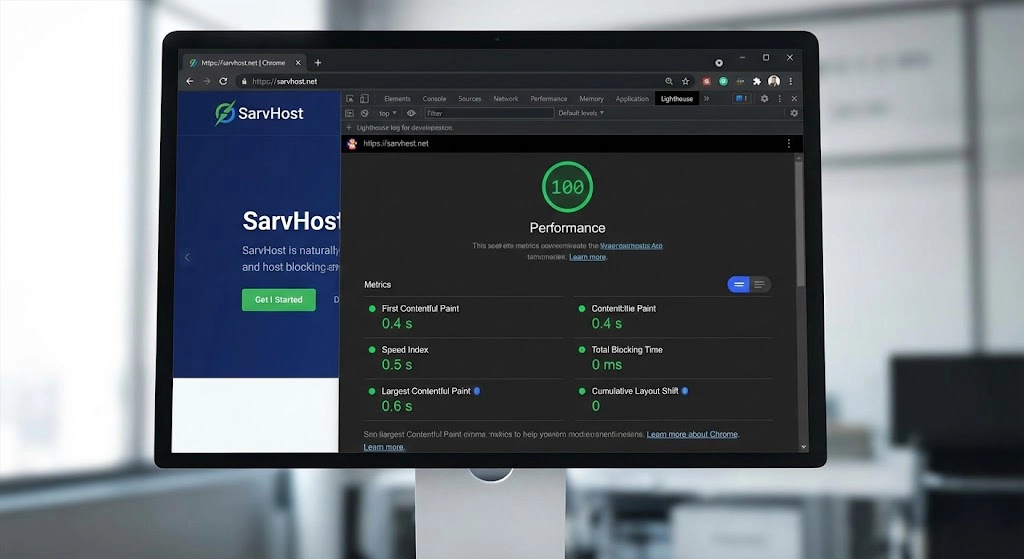
At SarvHost, our infrastructure is built on Gen5 NVMe storage and high-frequency RAM, providing the perfect foundation for these optimizations. However, to truly unlock the 1ms latency edge, you must master the art of fine-tuning the Nginx daemon itself.
1. Optimizing Worker Processes and Connections
The first step in any Nginx Performance Tuning 2026 strategy is ensuring Nginx can efficiently utilize your hardware resources. By default, Nginx might not be utilizing all available CPU cores.
The worker_processes directive should typically match the number of CPU cores on your SarvHost Dedicated Server or VPS. However, in 2026, using worker_processes auto; is the standard as Nginx intelligently detects the hardware threads.
worker_processes auto;
worker_priority -10; # Gives Nginx higher CPU priority
events {
    worker_connections 2048; # Increase for high-traffic sites
    multi_accept on; # Allows Nginx to accept multiple connections at once
    use epoll; # Efficient connection processing for Linux
}
2. Leveraging Brotli and Gzip Compression
Compression is essential for reducing the size of the data sent to your users. While Gzip is universal, in 2026, Brotli has become the gold standard due to its higher compression ratios at similar speeds. Implementing both ensures all users get the fastest possible experience.
A key part of Nginx Performance Tuning 2026 is offloading this work to the CPU efficiently. Ensure you only compress text-based files (HTML, CSS, JS) and avoid re-compressing images or PDFs, which only wastes CPU cycles.
brotli on;
brotli_comp_level 6;
brotli_types text/plain text/css application/javascript application/json;

gzip on;
gzip_comp_level 5;
gzip_min_length 256;
gzip_proxied any;
gzip_types text/plain text/css application/json application/javascript;
3. Advanced Caching Strategies: FastCGI and Proxy Cache
In 2026, the fastest request is the one that never hits your database. Caching dynamic content is the secret weapon of high-performance sites. By using fastcgi_cache for PHP-based sites (like WordPress) or proxy_cache for Node.js/Python apps, you can serve thousands of concurrent users with minimal CPU load.
This Nginx Performance Tuning 2026 technique allows SarvHost servers to deliver sub-100ms response times even during massive traffic spikes. Ensure your cache is stored on the /dev/shm (RAM disk) or our high-speed NVMe drives for maximum I/O performance.
4. Tuning Buffers and Timeouts
Mismatched buffer sizes can cause Nginx to write temporary data to the disk, which is significantly slower than RAM. Properly sizing your buffers ensures that data stays in memory during processing.
client_body_buffer_size 16K;
client_header_buffer_size 1k;
client_max_body_size 8m;
large_client_header_buffers 4 8k;

# Timeouts to prevent slow-client attacks
client_body_timeout 12;
client_header_timeout 12;
keepalive_timeout 15;
send_timeout 10;
5. Moving to HTTP/3 and TLS 1.3
Modern security and performance are intertwined. In 2026, HTTP/3 (QUIC) is mandatory for any high-performance setup. HTTP/3 reduces the overhead of the TCP handshake and performs significantly better on unstable networks (like mobile data).
Combining HTTP/3 with TLS 1.3 reduces the “Round Trip Time” (RTT) of the initial connection, making your site feel instant. This is a core pillar of our Nginx Performance Tuning 2026 philosophy at SarvHost.
6. Static File Handling: Open File Cache
If your server hosts thousands of small files (images, icons, scripts), the overhead of opening and closing files can slow down Nginx. The open_file_cache directive allows Nginx to keep file descriptors in memory, speeding up access to frequently requested static assets.
open_file_cache max=2000 inactive=20s;
open_file_cache_valid 60s;
open_file_cache_min_uses 2;
open_file_cache_errors on;
Conclusion: The Speed Advantage in 2026
Nginx is a powerhouse, but it requires a surgeon’s touch to achieve true elite-level performance. By implementing the strategies in this Nginx Performance Tuning 2026 guide, you move from standard hosting to enterprise-grade infrastructure.
Speed is not just a technical metric; it is the foundation of user trust and SEO dominance. At SarvHost, we provide the hardware—you provide the configuration. Together, we build the fastest web experience possible.
Ready to deploy your high-speed infrastructure? Use code WELCOME2026 for a 25% lifetime discount on any SarvHost VPS or Dedicated server.
👉 Optimize Your Performance at SarvHost.net